
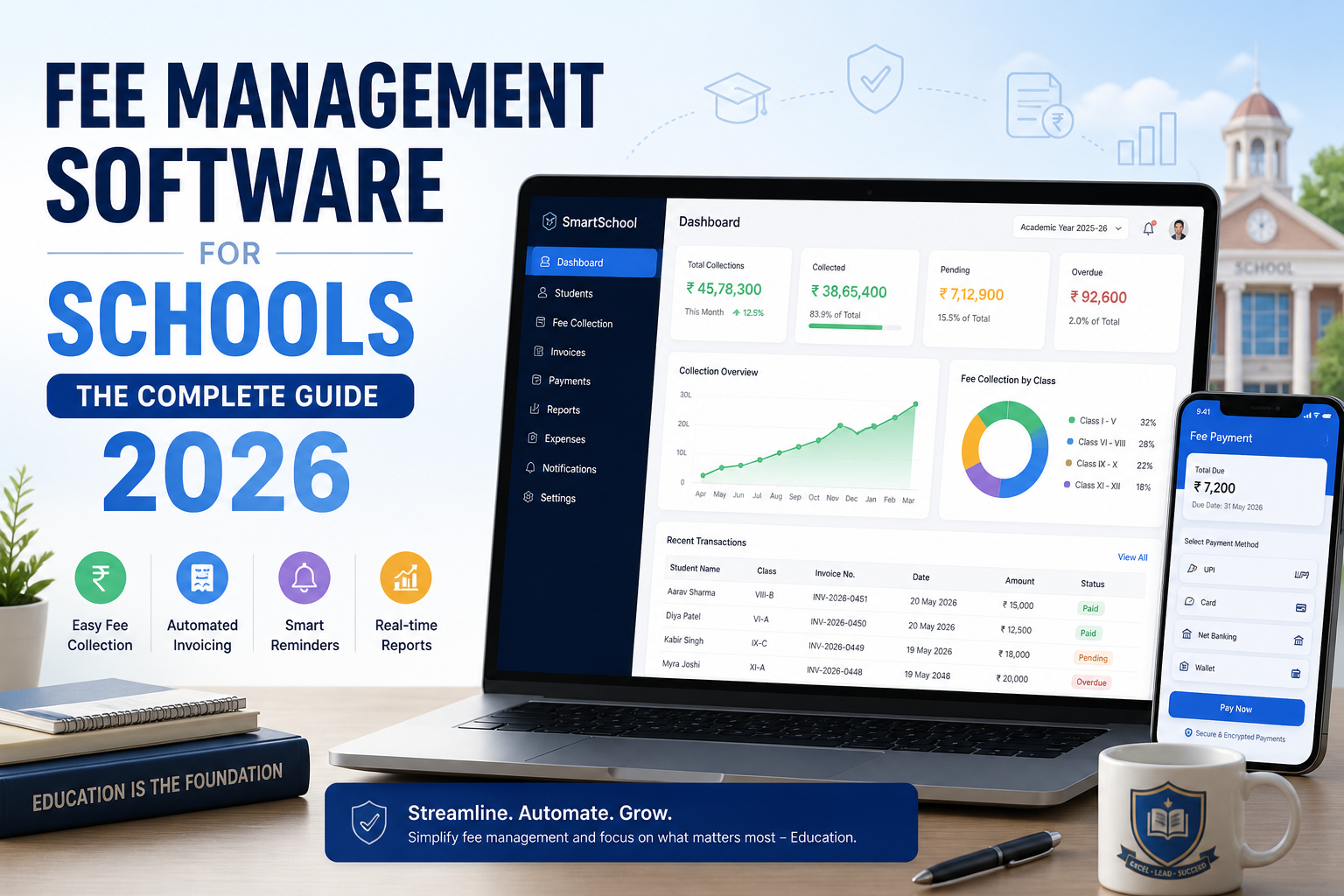
If you're still chasing overdue fees by email, updating spreadsheets by hand, or printing paper receipts this guide is for you.
Managing school fees manually might work for a few dozen students. But once you scale up, it becomes a full-time problem: missed payments, billing errors, frustrated parents, and finance staff buried in admin work they shouldn't have to do
Fee management software fixes all of that.
This guide covers everything you need to know before choosing a system what it is, how it works, what features actually matter, what to watch out for, and how to switch without chaos.
What Is Fee Management Software for Schools?
Fee management software for schools is a purpose-built system that handles the full financial cycle of student billing from generating the first invoice when a student enrolls, to reconciling the final payment at year end.
It's not accounting software. QuickBooks or Xero are built for businesses that invoice clients. Schools charge families in completely different ways: tuition by term or installment, sibling discounts, activity fees, transport charges, exam fees, scholarship deductions, registration deposits sometimes all on the same student account at the same time. General accounting tools aren't designed for any of that.
A proper school fee management system handles all of it in one place. When a student enrolls, the invoice appears automatically. When a payment lands, the system records and reconciles it in real time. When a due date approaches, reminders go out without anyone having to think about it.
The key thing a good online fee management system gives you isn't just automation — it's accuracy. Fewer human touchpoints means fewer places for errors to enter. For schools managing hundreds or thousands of student accounts, that's the difference between a clean audit and a billing nightmare.
Clast builds this kind of system as part of its all-in-one education management platform — directly connecting enrollment, billing, reporting, and parent communication so nothing falls through the gaps. See how Clast handles fee management →
Why Manual Fee Collection Is a Serious Problem
For a school with 80 students, a spreadsheet and a bank account might be fine. For anything beyond that, manual fee collection creates compounding problems that get worse every term.
The data is always old
A spreadsheet fee record is out of date the moment someone adds a new student, changes a payment plan, or applies a discount. Finance teams end up working from information that's hours or days stale — and decisions get made on numbers that don't reflect reality.
Errors compound quietly
One discount applied to the wrong student. One payment marked pending when it's already been cleared. One new admission missed because admissions didn't flag the student to finance in time. Each error is small. By term-end, they add up to real disputes, real money, and real staff time chasing corrections.
Chasing payments is reactive, not preventive
Most schools running manual systems only follow up on overdue fees after the due date has passed. By that point, the family is already behind, the conversation is uncomfortable, and your finance team is in damage-control mode instead of running a clean process. Proactive, automated reminders before the due date which any good school fee billing automation system provides change the dynamic entirely.
To put numbers on it: research from K-12 payments platform LINQ found that roughly 80% of school payments are now made digitally, yet many schools still rely on manual processes to track and reconcile them. The gap between digital payments and manual record-keeping is exactly where errors and delays multiply.
Parents are frustrated by the lack of visibility
If a parent wants to know their balance, what they've paid, or what's due next month in a manual system, they call or email the school. That creates inbound queries your staff has to answer, delays for the family, and friction that makes the school look disorganised. With a self-service parent portal, that question never becomes a phone call.
Reporting takes too long to be useful
When fee data lives in a spreadsheet and payments are in a separate bank ledger, producing an accurate financial report means manually reconciling two data sources. At a school with a few hundred students, that's hours of work — and leadership is making decisions based on last week's numbers, not today's.
Defaults go unchallenged until it's too late
Without early-intervention systems, overdue fees often go unnoticed until the gap becomes significant. Schools that implement automated reminder workflows — before the due date, on the due date, and at set intervals after — consistently see lower default rates. Not because parents are more willing to pay, but because they're reminded at the right moment rather than weeks later.
How Software Fixes the Problem Before vs After
Here's a simple before-and-after look at what changes:
| Task | Manual Process | With Fee Management Software |
|---|---|---|
| Invoice creation | Done manually per student, per term | Auto-generated when a student enrolls |
| Payment reminders | Staff emails/calls families | Sent automatically by schedule or trigger |
| Payment tracking | Spreadsheet updated by hand | Live dashboard, reconciled instantly |
| Overdue follow-up | Finance team reacts after the fact | Automated escalation workflow |
| Discounts & scholarships | Calculated manually, prone to error | Applied automatically using set rules |
| Financial reporting | Compiled from multiple sources | Generated on demand from live data |
| Parent account access | Family calls school for information | Self-service portal on phone or desktop |
The time savings are real. But the bigger gain the one that doesn't get talked about enough is accuracy. When data flows automatically from enrollment through to payment and reconciliation, there's no manual step where errors enter the system.
The 12 Features That Actually Matter
Not all school fee management software is built the same. Some platforms are billing tools bolted onto a broader system. Others are purpose-built for the complexity of school finance. Here's what to look for.
1. Enrollment-to-invoice automation
When a student's enrollment is confirmed, the invoice should generate automatically. No manual step. No gap between admissions and finance. No risk of a new student going unbilled because the handoff between departments didn't happen.
This single feature direct, real-time integration between the admissions module and the billing module eliminates the most common source of billing errors in schools. If those two systems aren't connected natively, you'll always have a manual bridge somewhere, and that's where mistakes live.
2. Flexible fee structures
Schools don't charge families in a standard way. Your custom billing software for schools has to handle all of this without workarounds:
- Tuition by term, semester, or academic year
- Registration and enrollment deposits
- Activity, sports, and trip fees (the same system should handle how schools track event-related fees and collect payments not a separate tool)
- Exam, lab, and equipment charges
- Transport and meal fees
- Scholarship deductions, bursaries, and financial aid reductions
- Sibling discounts and loyalty arrangements
If the software forces you to approximate any of these, it'll create reconciliation problems at year-end.
3. Installment plans and payment schedules
Not every family can pay a year's tuition upfront. Good fee management software lets you configure installment plans monthly, quarterly, half-yearly, or fully custom — and track each installment separately with its own due date and reminder schedule.
The best systems let parents choose their preferred schedule within limits you set. Some platforms offer EMI arrangements through financial institution partnerships, which research suggests can meaningfully improve on-time payment rates by meeting families where they are financially.
4. Parent payment portal
Parents in 2026 expect to pay online. A LINQ survey of K-12 families found that electronic payments now make up around 80% of all school payments yet plenty of schools are still using manual tracking for those digital transactions.
A proper school payment portal for finance teams and families needs to:
- Show live balances, payment history, and upcoming due dates
- Accept cards, bank transfers, and digital wallets
- Issue automatic receipts the moment payment lands
- Work properly on a phone not just a desktop
That last point matters more than many schools realize. If the portal is desktop-only, you'll see low adoption and the inbound queries won't stop.
Important: Any platform handling card payments must be PCI-DSS compliant. Confirm this before signing anything.
5. Automated payment reminders
Your finance team should never be manually chasing payments. Good school fee billing automation sends reminders automatically a few days before the due date, on the due date, and at set intervals after. They go by email and SMS. They stop the moment a payment is received, so families don't get chased for something they've already paid.
This is also the mechanism that prevents defaults. Early, automated outreach changes the dynamic from debt collection to helpful nudge.
6. Deposit management
Schools collect deposits for enrollment, equipment, housing, and more. Deposits need to be tracked separately from fee income, properly managed, and cleanly refunded when the time comes. Purpose-built billing software for schools treats deposits as a distinct category not mixed with regular income, not lost in a general ledger.
7. Direct debit and recurring payment processing
For families on long-term payment plans, direct debit means payments happen automatically on the scheduled date. Nobody has to initiate them. Look for software with built-in direct debit or a payment partner integration that handles failed payment notifications cleanly. This is a must-have for any tuition billing software for schools serving families on annual installment arrangements.
8. Multi-payer support (split billing)
Some families split fee responsibility divorced parents with shared custody, a family and a corporate sponsor, a scholarship fund covering part of the fees. Your student billing management system needs to divide a student's account between multiple payers, each with their own invoices, schedules, and portal access.
This matters especially for international schools and higher education, where corporate sponsorship is common. It's also critical for school financial aid management software aid disbursements need to reduce the family-facing invoice without complicating the accounting trail.
9. Real-time financial reporting and dashboards
At any moment, your finance team and school leadership should be able to see:
- Total fees collected this term or year
- Outstanding balances by student, class, year group, or campus
- Overdue accounts and how far past due they are
- Collection rate trends and projections
- Event-related fee income alongside regular tuition
These reports need to be on-demand not something someone compiles the night before a board meeting. And they need to export cleanly into your accounting software. This is what education finance software with built-in reporting actually means in practice: live data, not compiled data.
10. SIS integration
Fee management software can't be a standalone island. It needs to connect with your student information system so that enrollments, withdrawals, grade changes, and program transfers automatically update the billing record. Without this, you'll always have a manual sync step and that step is where errors hide. The best school management software for admissions and fees treats these as one unified record, not two systems that have to be kept in sync by hand.
11. Role-based access and security
A class teacher checking whether a student's fees are up to date doesn't need access to the full transaction history. A finance officer does. A parent needs their own child's account and nothing else.
Good software has configurable, role-based permissions from day one. This is non-negotiable for any student fee tracking software that handles sensitive financial data and it's increasingly a regulatory requirement in many regions.
12. Automated receipt generation
The moment a payment lands, a receipt should generate and reach the parent automatically. This is a legal requirement in many countries and a basic expectation from any family paying thousands in tuition. Make sure it works for online payments, cash, and cheques.
Types of Schools That Use Fee Management Software
Private K-12 schools
Cloud-Based Software
The software runs on the provider's servers. You log in through a browser or app. Updates happen automatically. The provider handles security, backups, and maintenance.
Best for: Most schools, especially small to mid-sized institutions that don't have a dedicated IT team. Lower upfront cost, faster setup, accessible from anywhere.
On-Premise Software
The software is installed on your own school's computers or servers. You control your data completely. But your IT team is responsible for updates, backups, and security.
Best for: Large institutions with strict data sovereignty requirements or strong internal IT capability.
For the vast majority of schools today, cloud-based is the better choice. It requires less technical expertise to maintain, gets updated with new features automatically, and can be accessed from any device which matters when a finance officer needs to pull a report from home.
How Much Does School Fee Management Software Cost?
Pricing varies significantly depending on the provider and the features included. Here are the main pricing models you'll encounter:
Per student per month — The most common model. You pay based on your enrollment count. Works well for growing schools since costs scale predictably.
Flat monthly or annual subscription — A fixed fee regardless of student numbers. Often better value for larger schools.
One-time license fee — Common with on-premise software. Higher upfront cost, no ongoing subscription, but you're responsible for your own maintenance.
Transaction-based fees — Some providers charge a percentage of each payment processed rather than a subscription fee. No upfront cost, but commissions add up quickly at scale.
Budget guide: Expect anywhere from $50 to $500+ per month depending on your school's size and the depth of features you need. Always ask about setup fees, data migration costs, training, and what's included in ongoing support before signing.
7 Red Flags to Watch for When Evaluating Vendors
Before you commit to any platform, watch out for these:
1. No free trial or demo with your actual data. Any reputable provider will let you test the system with your real fee structure before you buy. If they won't, ask why.
2. Billing and admissions are separate products. If the fee module doesn't connect natively to enrollment, you'll always have a manual bridge between the two and that's where errors live.
3. Support is only available by email. For a financial system, you need phone or live chat support, especially during billing cycles when problems need fast resolution.
4. No clear PCI-DSS certification. If the platform processes payment card data and they can't confirm compliance, walk away.
5. Setup time is measured in months. Modern cloud-based systems should be configurable and ready within days to a few weeks. Months-long implementation timelines often mean overcomplicated systems.
6. Parent portal is desktop-only. Most parents pay on mobile. A portal that isn't mobile-optimized will see low adoption and won't reduce your inbound payment queries.
7. They can't show you reports during the demo. If a vendor struggles to generate the financial reports you'll need during a demo, imagine what it'll be like when you actually need them under pressure.
Questions to Ask Every Vendor
Use these when comparing platforms:
- Does enrollment automatically trigger invoice creation, or is that a manual step?
- How does the system handle mid-year fee changes or student withdrawals?
- Can we configure installment plans at the individual family level?
- What payment methods do you support, and what are the transaction fees?
- Is the parent portal fully functional on mobile?
- How does the system connect to our existing SIS or accounting software?
- What does the data migration process look like, and how long does it take?
- What happens to our data if we cancel?
- What support do you provide during setup, and what's ongoing?
- Can we export all our reports and transaction history at any time?
How to Switch to Fee Management Software Without Disrupting Your School
Changing financial systems mid-year feels risky. Here's how to make the transition smooth:
Plan your timing. The best time to switch is at the start of a new academic year or a new term. Avoid switching in the middle of a billing cycle.
Clean your data first. Before migrating to the new system, audit your existing student records, fee structures, and payment history. Fixing messy data before migration saves significant problems after.
Set up your fee structures carefully. Take time during setup to configure all your fee types, amounts, discount rules, and installment plans correctly. Mistakes here create confusion downstream.
Run both systems in parallel briefly. For the first billing cycle, run a parallel check compare what the new system generates with what your old process would have produced. Catch discrepancies early.
Communicate with parents before launch. Let families know the new system is coming, what's changing, and who to contact with questions. A short email explaining the parent portal goes a long way toward adoption.
Train every staff member who will use the system. Don't just train the finance team. Anyone who accesses student fee status admissions, reception, class teachers should know the basics.
The Real ROI of Fee Management Software
Schools sometimes hesitate to invest in fee management software because of the cost. Here's what they're missing:
Every hour your finance team spends on manual invoice creation, payment reconciliation, reminder calls, and report compilation is an hour that costs money. If your finance team spends 20 hours a week on tasks that software could automate, that's 20 hours of salary cost on avoidable admin work.
Beyond time, there's the revenue impact. Schools running automated systems consistently collect more of what's owed, faster. Automated reminders before due dates rather than chasing after dramatically reduce overdue accounts. Parents who can pay online pay sooner than parents who have to bring cash or cheques to the school office.
Add up the staff hours saved, the reduction in billing errors and disputes, the improvement in cash flow, and the better parent experience and purpose-built fee management software almost always pays for itself within the first academic year.
What to Look For in a School Fee Management System
Enrollment-to-billing automation — invoices generate when students enroll, without manual input
Flexible fee structures — tuition, deposits, activities, discounts, scholarships all in one system
Installment plans — configurable at the student or family level
Mobile-friendly parent payment portal — easy for families to pay without contacting the school
Automated reminders — before and after due dates, by email and SMS
Real-time dashboards and reports — available on demand, not compiled manuallySIS integration — enrollment data flows to billing automatically
Role-based access — every user sees what they need and nothing they shouldn'tPCI-DSS compliance — non-negotiable for any system handling payment card data
Strong customer support — not just during setup, but ongoing
Conclusion
Fee management software isn't a luxury. For any school that wants to run clean financial operations, reduce admin overhead, and give families the modern payment experience they expect, it's a necessity.
The right platform will save your finance team real hours every week, reduce billing errors to near zero, improve your collection rates, and give school leadership the financial visibility they need to make good decisions.
Take advantage of free demos. Bring your actual fee structure. Ask the hard questions. And choose a system that grows with your school not one you'll outgrow in two years.
Private K-12 schools have the most complex fee structures of any school type: different tuition by year group, sibling discounts, financial aid tracking, activity and trip charges, and re-enrollment billing every academic year. K-12 fee processing software and K-12 student fee collection software handle all of this in one system.
Re-enrollment is worth flagging specifically. When a returning student comes back for a new year, updated fees should generate automatically based on any tuition increases not require the finance team to manually rebuild invoices for hundreds of families.
International schools
International schools carry extra complexity: multi-currency billing, corporate-sponsored students, families across time zones, and communication needs that may cross language barriers. Good fee management software handles multi-currency transactions natively and supports multiple communication templates.
Public and state schools
Public schools often don't charge tuition but they collect fees for meals, transport, clubs, sports, and events. Billing management systems for schools still apply here, especially for meal programs where free and reduced-price eligibility tracking adds administrative complexity that spreadsheets handle badly.
Colleges and universities
Higher education has the most complicated fee structures of all: tuition by credit hour, housing, meal plans, lab and equipment fees, graduation charges, student activity fees, and health cover. Add financial aid disbursements, multi-year enrollment, and institutional audit requirements, and the need for a proper financial management software for higher education system becomes obvious.
The best education ERP for school fee collection and reconciliation at this level includes a finance module strong enough to satisfy auditors and accreditation bodies generating compliant reports without extra manual work. University fee management software needs to handle all of this while staying accessible enough for a parent paying their child's first semester.
Training centres and coaching institutes
Training programmes often run cohort-based billing tied to module completion rather than calendar dates. Corporate clients frequently pay part of a student's fees directly. Custom billing and fee management solutions for these institutions need to handle non-standard structures without workarounds or manual overrides.
Language schools
Language school billing software has distinct requirements: short course cycles, rolling enrollment, multi-level programmes, and international students paying in different currencies. A general accounting tool handles none of this cleanly. Purpose-built software does.Cloud-Based vs. On-Premise Which Is Right for Your School?
Cloud-Based vs. On-Premise
Cloud-based software
Runs on the provider's servers. You log in through a browser or app. Updates happen automatically. The provider handles backups, security patches, and maintenance.
Best for: Most schools, particularly small to mid-sized institutions without a dedicated IT department. Lower upfront cost, faster setup, accessible from anywhere.
On-premise software
Installed on your own servers. You control your data entirely. Your IT team is responsible for updates, backups, and security.
Best for: Large institutions with strict data sovereignty policies or strong in-house IT capability.
For the vast majority of schools, cloud-based is the right choice. It's easier to maintain, gets new features automatically, and can be accessed from any device which matters when a finance officer needs to pull a collections report from home the evening before a governors' meeting. The edtech sector broadly has seen a move toward cloud-first infrastructure, with the global EdTech market projected to grow from $169 billion in 2024 toward $599 billion by 2032 (CAGR of 17%) and cloud delivery is driving most of that growth (Source: Codebridge / Grand View Research, 2025).
How Much Does It Cost?
School management software pricing varies widely. Here are the models you'll encounter and what to watch for.
Per student per month : the most common model. Costs scale with enrollment, which suits growing schools. Typical range: $2–$8 per student per month, depending on feature depth.
Flat monthly or annual subscription : a fixed fee regardless of student numbers. Better value for larger schools with stable enrollment.
One-time licence fee : common with on-premise software. Higher upfront cost, no ongoing subscription, but maintenance is your responsibility.
Transaction-based fees : a percentage of each payment processed. No subscription, but commissions compound quickly at scale. Worth calculating the annual total before assuming it's cheaper.
Total budget guide: Expect $50–$500+ per month depending on your school's size and required features. Affordable fee collection software for schools at the lower end of this range is typically cloud-based, per-student-per-month pricing aimed at smaller institutions.
Always ask about:
- One-off setup and data migration fees
- Per-user or per-admin seat costs
- Support tiers — is phone support included or extra?
- Annual price escalation clauses
- Data export costs if you ever want to leave
Watch for hidden fees in school management software. Some vendors advertise a low headline subscription but charge separately for implementation, training, additional integrations, and even data exports. Always compare total cost of ownership over three years, not just the first month.
For common pricing models for tuition assistance platforms, note that financial aid management is sometimes bundled and sometimes charged as an add-on. If your school manages bursaries, scholarships, or government-funded assistance, factor this in from the start.
How to Evaluate Vendors Without Getting Burned
7 red flags to walk away from
1. No demo with your actual fee structure. Any reputable platform will let you test using your real data — your actual fee types, discount rules, and installment schedules. If they only show you a generic demo, you have no idea how the system handles your specific setup.
2. Billing and admissions are separate products. If the fee module doesn't connect natively to enrollment, you'll always have a manual bridge — and that's where errors live. The two systems should talk to each other in real time, not sync overnight.
3. Support is email-only. Financial systems fail at the worst possible moments — mid-billing-cycle, the day a major payment run goes wrong. You need phone or live chat access, not a 48-hour email queue.
4. No PCI-DSS certification. Non-negotiable. If they can't confirm compliance for card payment processing, walk away.
5. Setup takes months. Modern cloud systems should be live in days to a few weeks. Months-long implementation is a sign of overcomplicated software or an understaffed implementation team — both your problem to live with.
6. The parent portal is desktop-only. Given that around 80% of school payments are now digital and most parents pay on mobile, a desktop-only portal will see low adoption and won't reduce your inbound queries.
7. They struggle to run reports during the demo. If a vendor can't quickly show you the reports you'll need under pressure — outstanding balances, collection rates, overdue accounts by class — picture what that looks like at year-end.
The Real ROI — What Schools Actually Save
Schools sometimes hesitate to invest in fee management software because of the upfront cost. Here's a more complete picture of what that hesitation actually costs.
Staff time
RAND Corporation research found that school staff spend significant hours weekly on administrative communications and paperwork. For finance teams specifically, manual billing tasks invoice creation, reconciliation, reminder calls, report compilation are some of the most time-intensive work on their plate. Automate those tasks, and you recover real hours. At 20+ hours per week on manual finance admin, that's a meaningful salary cost you're running on avoidable work.
EduTrak, which works with K-12 institutions, notes that schools typically see positive ROI from integrated billing systems within 12–24 months through staff time savings, faster collections, reduced unpaid balances, and lower reporting costs (Source: EduTrak, 2026).
Collection rates
When parents can pay online from any device, at any time, they pay faster. LINQ's K-12 payments research shows that around 80% of school payments are now made digitally but that speed and convenience only translates into better collection rates when the school's internal tracking and reminder system keeps pace with the payment channel. Automated pre-due-date reminders and a clean self-service portal together consistently produce faster collection and fewer overdue accounts.
Error costs
Billing errors aren't just inconvenient they create disputes, require manual correction time, and can damage trust with families. A parent who receives an incorrect invoice and has to fight to get it fixed is less likely to pay promptly next time. Software that generates invoices automatically from enrollment data removes the human touchpoint where most billing errors originate.
Security risk
Cybersecurity firm SonicWall recorded a 275% rise in cyberattacks on school districts in 2022. 85% of parents in LINQ's research ranked payment security as a top priority. A PCI-DSS compliant, cloud-hosted system with role-based access and encrypted transactions is inherently more secure than a spreadsheet with shared access and no audit trail.
The consolidation saving
Running separate tools for admissions, billing, attendance, and reporting costs more in total than running one integrated platform and creates more integration work to keep them synced. Schools that consolidate into an all-in-one system typically reduce total software costs, not increase them.
Add all of this up staff time, collection rates, errors, security, and consolidation savings and purpose-built student fee management software typically pays for itself within the first academic year for schools above 200 students.
What Clast Does Differently?
Most fee management tools are built as standalone billing systems. Clast is built differently as an all-in-one education management platform where admissions, billing, attendance, and reporting share a single student record from day one.
That means enrollment automatically triggers billing. When a student is confirmed in the Clast admissions module, their invoice generates immediately. There's no handoff between systems, no manual step, and no risk of a student going unbilled.
Finance teams get a live view of everything. Clast's real-time dashboards show outstanding balances, collection rates, overdue accounts, and payment trends filterable by student, class, campus, or fee type. Reports export cleanly for accounting software. Nothing needs to be compiled manually.
Parents get a clean mobile experience. The Clast parent portal lets families view their balance, pay by card or bank transfer, download receipts, and see upcoming due dates all from their phone. Automated reminders go out via email and SMS on a schedule you configure once.
For multi-campus schools and academy trusts, Clast consolidates data across sites. Finance leadership can compare collections, fee structures, and outstanding balances across campuses in one view which is exactly what tools for multi-academy trusts need.
Clast serves schools, academies, colleges, and universities including language institutes with rolling enrollment and training centres with cohort-based billing. The system is designed to handle non-standard fee structures without workarounds.
Book a free demo with your actual fee structure → | See Clast pricing → | Built for schools →
The Checklist: What to Look For
Before you commit to any school fee management system, confirm it covers every item on this list:
- Enrollment-to-invoice automation : invoices generate when students enroll, with no manual step
- Flexible fee structures : tuition, deposits, events, discounts, scholarships, and aid in one system
- Installment plans : configurable per student or family, automated in execution
- Mobile-first parent payment portal : clean and functional on a phone, not just a desktop
- Automated reminders : before, on, and after due dates, by email and SMS
- Live dashboards and on-demand reports : no compilation required, filterable every way you need
- SIS integration : enrollment data flows to billing automatically and in real time
- Financial aid management : bursaries, scholarships, and aid disbursements in the same system
- Multi-campus support : consolidated reporting across sites if relevant
- Role-based access : each user sees exactly what they need, nothing they shouldn't
- PCI-DSS compliance : non-negotiable for card payment processing
- Deposit tracking : separate from fee income, with clean refund processing
- Automated receipt generation : instant, on every payment method
- Reliable support : phone or live chat, not just email, especially during billing cycles
Conclusion
Running a school's finances on spreadsheets is a choice — but it's a choice that costs more than the software you're avoiding. Staff time, billing errors, slow collection, and poor parent experience all have real costs. Purpose-built fee management software eliminates most of them.
The right system will save your finance team hours every week, reduce errors to near zero, improve collection rates, and give both your team and your parents a experience that reflects well on your school.
Use free demos. Bring your real fee structure. Ask the hard questions — especially about admissions integration, financial aid, and what happens to your data if you leave.