
If you've ever sat through a school board meeting where someone asks "why does it take three days to get a simple attendance report?", you already know why schools are ditching spreadsheets, paper registers, and five different apps that don't talk to each other.
A good school management system isn't just software it's the difference between an admin team that spends its day chasing information and one that spends its day actually running the school. But here's the catch: not every platform on the market is built the same, and a flashy demo doesn't always translate into a system your teachers will actually use six months from now.
In this guide, we'll walk through the school management system features that genuinely move the needle the ones that save hours every week, reduce errors, and make parents, teachers, and administrators feel like they're finally on the same page. Whether you're evaluating your first system or replacing one that never quite worked, this list will help you ask the right questions before you sign a contract.
What Is a School Management System, Really?
Before diving into features, it helps to define the term properly, because "school management system," "student information system (SIS)," "school ERP," and "learning management system (LMS)" get used interchangeably
and that's exactly where buyers get confused.
A school management system is a centralized digital platform that handles the administrative, academic, financial, and communication functions of a school, college, or university. Think of it as the operating system for your institution: admissions data flows into student records, attendance flows into report cards, fees flow into financial reports, and everyone from the principal to a parent checking their phone sees the information relevant to them.
Some platforms specialize narrowly (just attendance, or just fees). Others, like an education ERP, bring everything academics, admissions, HR, finance, communication, and operations into one connected system. That distinction matters a lot when you're comparing options, because the "all-in-one vs. multiple tools" decision affects your costs, your IT workload, and how much double data-entry your staff ends up doing.
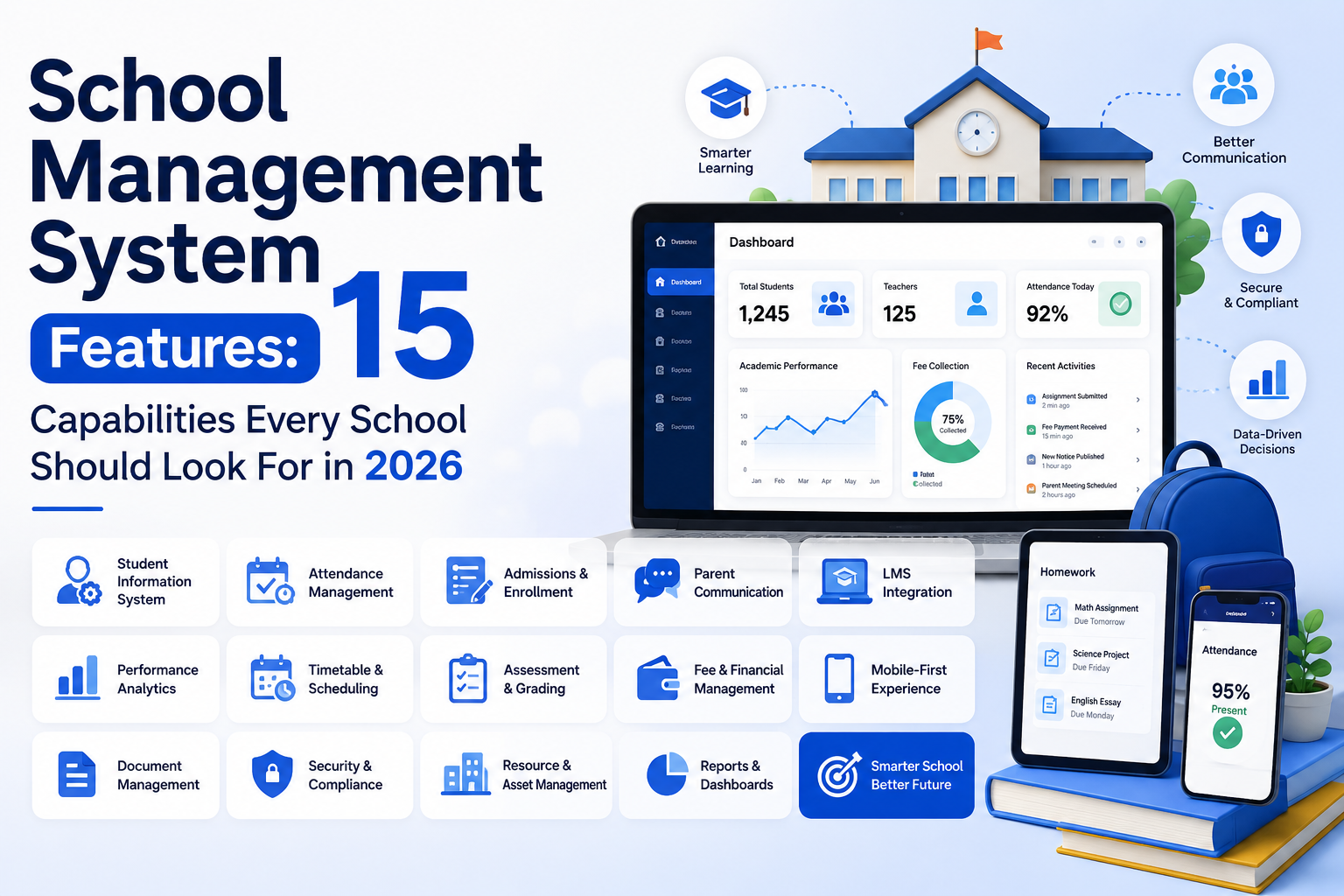
15 essential capabilities every school should look for in 2026
1. Student Information System (SIS) and Centralized Records
At the core of every school management platform is the student information system the digital file cabinet that holds enrollment details, demographic information, academic history, health records, emergency contacts, and disciplinary notes, all in one searchable place.
Why this matters more than it sounds: when a student transfers between grades, campuses, or even schools within the same network, their entire history should move with them no re-entering data, no lost files, no calling the previous school for a transcript. A strong SIS also gives every role (teachers, admins, counselors) a single source of truth, so nobody is working off an outdated spreadsheet from last semester.
2. Admissions and Enrollment Management
Admission season is chaotic enough without paper forms, walk-in queues, and Excel trackers for application status. Look for a system that lets families apply online, upload documents, pay application fees, and track their status while your admissions team manages everything from inquiry to enrollment through a single pipeline.
The best platforms also support automated waitlists, document verification checklists, and instant notifications when an application moves to the next stage. This isn't just a convenience feature; schools that digitize admissions consistently report faster turnaround times and fewer dropped applications simply because nothing falls through the cracks.
3. Attendance Tracking and Automated Alerts
Manual attendance paper registers, roll calls, end-of-day data entry is one of the biggest time sinks in any school. A modern system should let teachers mark attendance in seconds (via app, biometric scanner, RFID card, or QR code), automatically calculate attendance percentages, and flag patterns like chronic absenteeism.
Just as important: parents should get an automatic notification SMS, email, or WhatsApp the moment their child is marked absent or late. This single feature alone tends to be one of the most appreciated by parents, because it closes the communication gap that used to take a phone call (or never happened at all).
4. Academic Management: Curriculum, Timetables, and Gradebooks
This is the academic backbone of the platform where lesson plans, class schedules, exam timetables, and gradebooks live. Teachers should be able to plan curriculum by term, record assessments, and generate report cards without juggling separate tools for each task.
A well-designed academic module also handles the messy logistics schools deal with every term: substitute teacher scheduling, room allocation conflicts, exam timetable clashes, and grade weighting across different assessment types. If your current process for building a timetable involves a whiteboard and sticky notes, this is the feature that will save you the most headaches.
5. Fee Management, Billing, and Online Payments
Few things create more friction between schools and families than fee collection. A solid school management system should let you generate fee structures by grade or program, send automated reminders before due dates, accept online payments (cards, bank transfers, mobile wallets), and produce real-time financial reports for your finance team.
For administrators, this means no more reconciling cash receipts by hand or chasing late payments with phone calls. For parents, it means a clear view of what's owed, what's paid, and a receipt that doesn't get lost in a backpack. Look specifically for support for installment plans, discounts/scholarships, and integration with local payment gateways this varies a lot by region and can be a dealbreaker.
6. Communication Tools: Messaging, Notifications, and Parent Portals
Communication is the feature that quietly determines whether your system gets adopted or ignored. Parents want timely updates about grades, attendance, events, and fees without downloading five different apps. Teachers want a simple way to message a class or a specific parent without handing out personal phone numbers.
Look for role-based messaging (so a parent can message their child's teacher, but not the entire staff directory), automated notifications via SMS, email, and WhatsApp, and a parent portal or app where families can see everything in one place grades, attendance, fee status, and announcements. This is also where role-based communication becomes important: the right information needs to reach the right person, securely, without admins manually CC'ing dozens of people.
7. Staff and HR Management
School management isn't only about students your staff need attendance tracking, leave management, payroll processing, and performance evaluation tools too. A platform that handles HR alongside academics means your administration isn't switching between a school system and a separate HR tool every time there's a staffing question.
This becomes especially valuable for multi-campus institutions, where tracking which staff member is assigned to which branch, role, and schedule can otherwise turn into a logistical nightmare.
8. Library Management
A digital library module lets you catalog books and resources, track checkouts and returns, send overdue reminders automatically, and give students the ability to search the catalog and reserve books online. It sounds like a small feature, but for schools with active libraries, automating this removes a surprising amount of manual record-keeping and prevents the classic "lost book" disputes at the end of the year.
9. Transport Management
For schools that run buses, transport management covers route planning, GPS tracking, and increasingly important to parents real-time location updates so families know exactly when the bus will arrive. Some systems also handle driver assignments, vehicle maintenance schedules, and automated alerts if a bus is delayed.
10. Examination and Assessment Management
Beyond basic grading, look for a system that supports multiple assessment types (quizzes, midterms, finals, continuous assessment), automated grade calculations based on your weighting rules, and report card generation that's customizable to your school's format not a generic template that doesn't match your curriculum structure.
For larger institutions, the ability to manage exam scheduling, seating arrangements, and result publication through the same platform removes a huge amount of manual coordination during exam season.
11. Role-Based Dashboards and Access Control
Not everyone needs to see everything. A receptionist doesn't need access to payroll data, and a parent shouldn't see another student's grades. Role-based dashboards mean every user super admin, branch manager, finance officer, teacher, librarian, parent, student logs in to a view built around what they actually need to do.
This isn't just about user experience; it's a core part of data security and governance. Clear access boundaries reduce the risk of accidental data exposure and make it much easier to demonstrate compliance if you're ever audited.
12. Reporting and Analytics
Data is only useful if you can actually see it. Strong reporting tools should let administrators generate insights on attendance trends, academic performance, fee collection rates, and staff metrics ideally with customizable dashboards rather than static, pre-built reports that don't match your specific questions.
The real value here is catching problems early: a dip in attendance for a particular class, a spike in late fee payments, or a grade-level trend that needs attention all visible before it becomes a bigger issue.
13. Multi-Campus and Multi-Branch Support
If your institution operates across multiple locations, or you're planning to expand, this feature matters more than almost anything else on this list. A multi-tenant system lets you manage several campuses from one central dashboard while still giving each branch its own data, staff, and reporting without needing separate software licenses or duplicate systems for each location.
14. Data Security and Compliance
Student data is sensitive, and increasingly, regulated. Encryption, role-based access controls, regular security audits, and compliance with data protection standards (like GDPR, depending on your region) aren't "nice to haves" anymore they're baseline requirements. Given how frequently schools are targeted by cyberattacks, this is a feature worth scrutinizing closely during any vendor evaluation, not just taking on faith from a sales pitch.
15. Integrations with Tools You Already Use
Finally, your school management system shouldn't force you to abandon the tools your staff already rely on. Look for native integrations with communication platforms (WhatsApp, email, SMS gateways), payment providers (Stripe, PayPal, local banking systems), video conferencing (Zoom, Google Meet, Microsoft Teams), and productivity suites (Google Workspace, Microsoft 365). The fewer manual exports and re-uploads your staff have to do, the more the system actually gets used.
How to Choose the Right System for Your School
With all these features in mind, here's a practical way to narrow your shortlist:
Start by mapping your current pain points is it admissions chaos, fee collection delays, or parents constantly calling for updates? Prioritize features that solve your biggest problems first, rather than chasing every feature on a vendor's checklist.
Next, think about scale. A system that works beautifully for a single school of 300 students might not hold up for a network of campuses with thousands of students and multiple departments. If growth is on your roadmap, an academic ERP system built for multi-campus, multi-role institutions will save you a painful migration later.
Finally, talk to your actual users teachers, finance staff, and a few parents if possible. The system with the longest feature list isn't always the one people will actually use. The best school management system is the one your staff opens every day without being told to.
Conclusion
A school management system touches almost every part of how your institution runs academics, finance, communication, HR, and operations. The features above aren't just a checklist; they're the difference between a platform that gathers dust after onboarding and one that genuinely makes your school easier to run.
If you're evaluating options, look for a platform built as a connected education management system rather than a patchwork of disconnected tools your admin team, teachers, and parents will all feel the difference.